> ## Documentation Index
> Fetch the complete documentation index at: https://docs.larafast.com/llms.txt
> Use this file to discover all available pages before exploring further.
# Admin Dashboard
> Admin dashboard for managing categories, listings, sales, etc.
Admin Dashboard comes with a built-in admin panel where you can manage categories, listings, subscriptions/orders, users, etc.
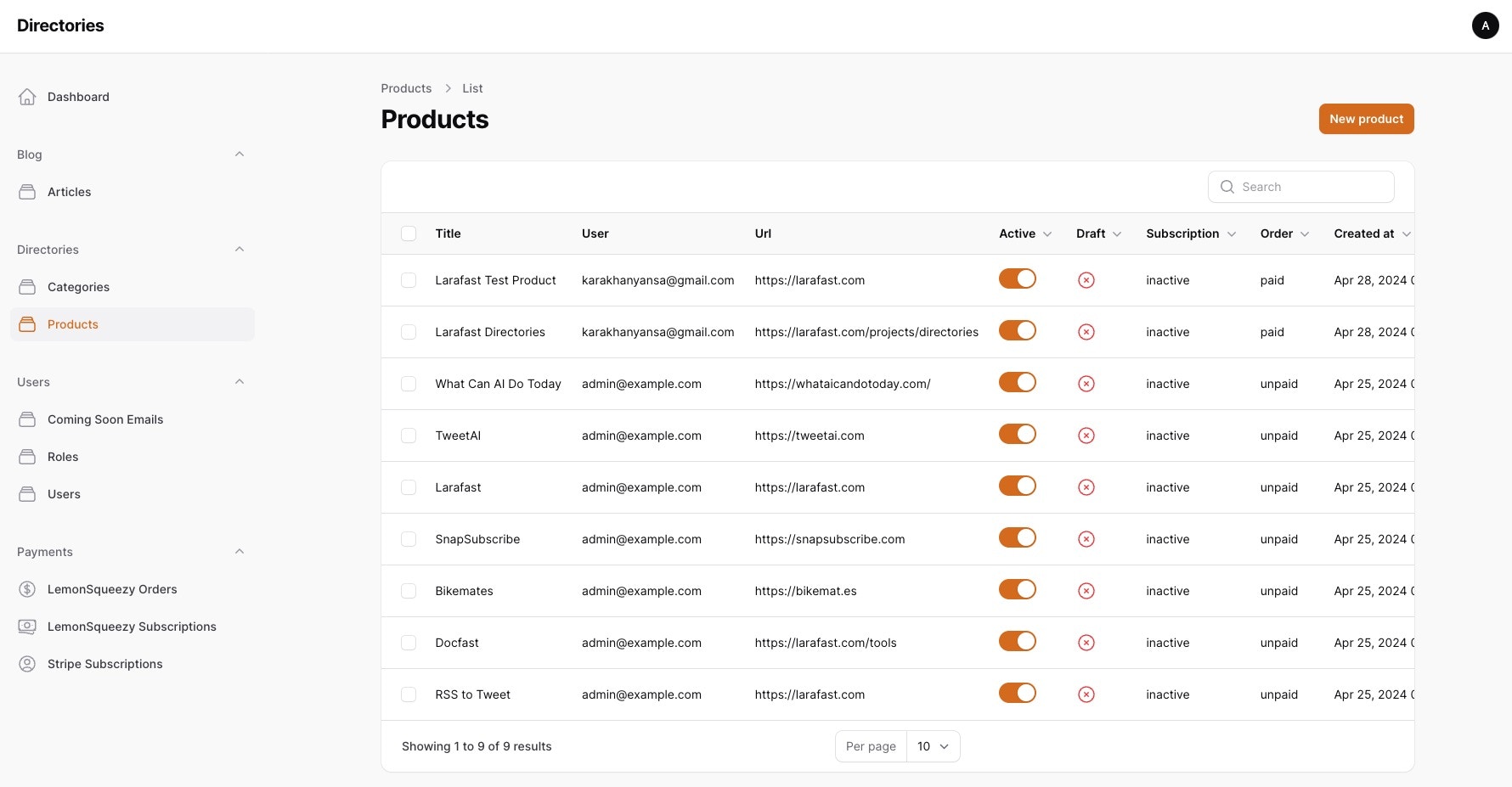 Larafast Directories Admin dashboard is powered by Filament.
It can be easily extended with components from their docs.
### Accessing Admin Panel
For initial setup, change the admin email and password in `database/seeders/AdminSeeder.php`
file and run the seeder command to add to the database.
```bash theme={null}
php artisan db:seed --class=AdminSeeder
```
```php database/seeders/AdminSeeder.php theme={null}
'Admin',
'email' => 'admin@example.com',
'password' => bcrypt('1111'),
]);
$user->assignRole('admin');
}
}
```
Now you can access the admin panel by visiting `/admin` route in your browser.
### Adding new admin users from terminal
To add new admin users, use the `php artisan make:admin` command and add name, email and password in the prompt.
Larafast Directories Admin dashboard is powered by Filament.
It can be easily extended with components from their docs.
### Accessing Admin Panel
For initial setup, change the admin email and password in `database/seeders/AdminSeeder.php`
file and run the seeder command to add to the database.
```bash theme={null}
php artisan db:seed --class=AdminSeeder
```
```php database/seeders/AdminSeeder.php theme={null}
'Admin',
'email' => 'admin@example.com',
'password' => bcrypt('1111'),
]);
$user->assignRole('admin');
}
}
```
Now you can access the admin panel by visiting `/admin` route in your browser.
### Adding new admin users from terminal
To add new admin users, use the `php artisan make:admin` command and add name, email and password in the prompt.